
Sign Up for a Subscription (Trial Accounts)
If you are using alfaview with a free trial company, you can convert it into a paid subscription at any time. The entire process – plan overview, pricing calculator and checkout – is available directly in the alfaview administration interface. Your existing data, such as users, rooms and settings, is retained, and no new user account is created.
To upgrade your company, you need the role Owner or Manager as well as the permission Manage company settings. For more information, see the page User permissions.
Please note: This page describes how to upgrade an existing trial company. If you would like to book a new company via the alfaview website, you will find instructions on the page Signup and Login.
Starting the upgrade
- Log in to the alfaview administration page.
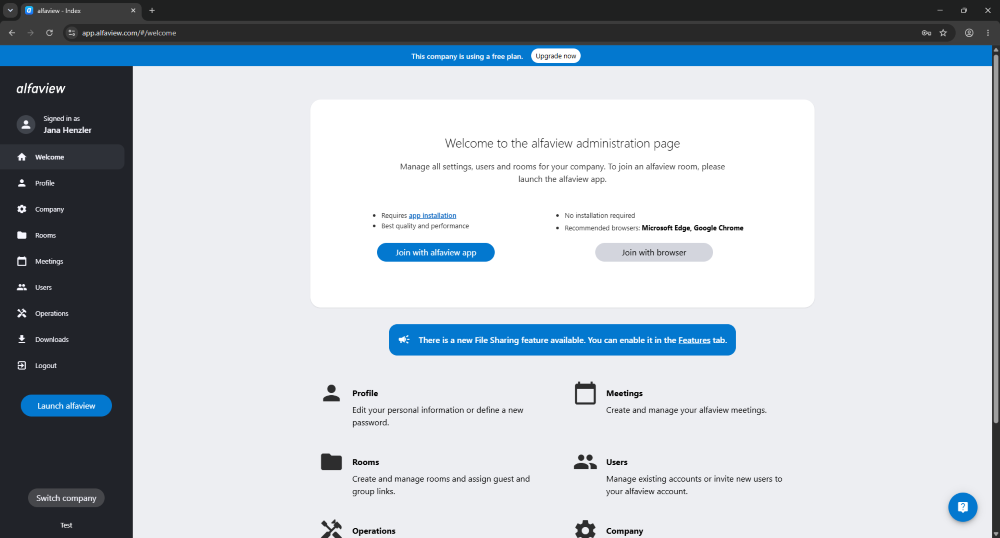
- A blue banner at the top of the page indicates the status of your trial company. The banner remains visible until you have booked a subscription.
- In the banner, click .
Selecting a plan and configuring your quotas
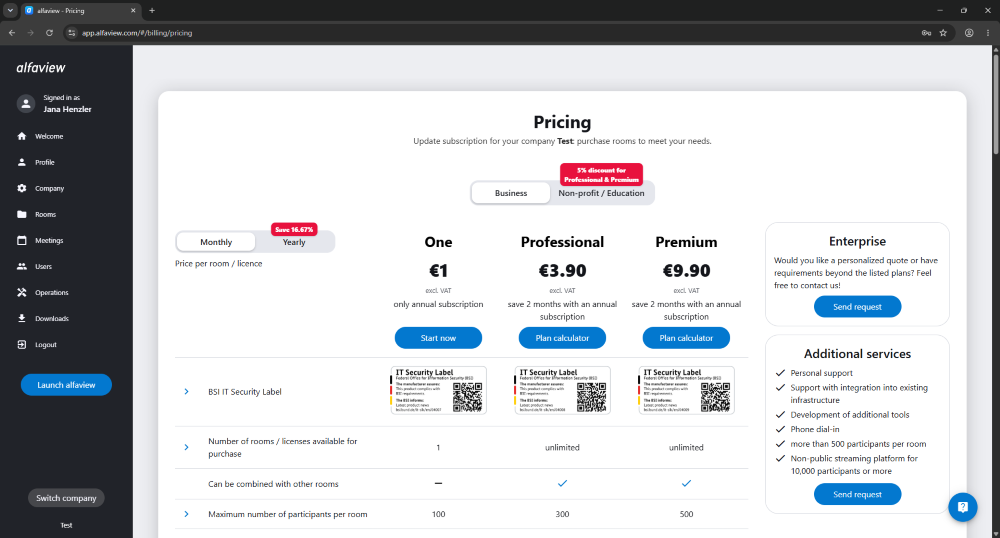
You are taken to an overview of the available plans and services. You can put your company together just as freely as when booking a new one.
- Select the plan that suits your company.
- Use the pricing calculator to configure the quotas you need, for example the number of rooms and participants per room.
Keep your existing rooms in mind: No rooms are deleted during the upgrade. Make sure to book at least as many rooms as your company is already using. You can check your current usage in the Quotas tab under Company Management. If the number of existing rooms exceeds the quota you booked, your company is over quota. In that case, please contact our support team, who will adjust the quotas for you.
Completing the booking
- Review the total cost shown and add your billing details.
- Complete the payment via our payment provider. Your payment details are processed exclusively there; alfaview never has access to them.
As your user account already exists, you will not receive a registration email and do not need to set a new password. You stay logged in with your existing credentials.
After the upgrade
Once the payment has been processed successfully, your company is automatically switched to the plan you booked:
- The booked quotas are available immediately.
- The blue banner is no longer displayed.
- The Subscription section appears in the Company tab.
From now on, you manage your invoices, customer data and payment methods in the subscription management portal. To find out how to access it, see the page Managing your subscription (Paying Customers).
Last updated on October 27th, 2026, 10:27 am